• Services
    • Vulnerability Management
    • Pentest
    • Network Pentest
    • Website Security Check
    • Phishing Campaign
    • Mystery Guest
    • Quick scan
  • NetCaptain
  • Knowledge base
  • Partners
    • MSP
  • About us
    • Contact
    • Why CyberAnt
    • News
    • Vacancies
  • Login
  • EN
    • NL
  • Menu Menu

CVE-2016-7941 – XSS in Netgear ProSAFE switches

A few years ago, one of our researchers discovered a unauthenticated stored XSS vulnerability in the Netgear ProSAFE Gigabit Smart Managed Switches. Although this was quite some time ago, we still felt that it was worth to do a write up about it.

The vulnerability

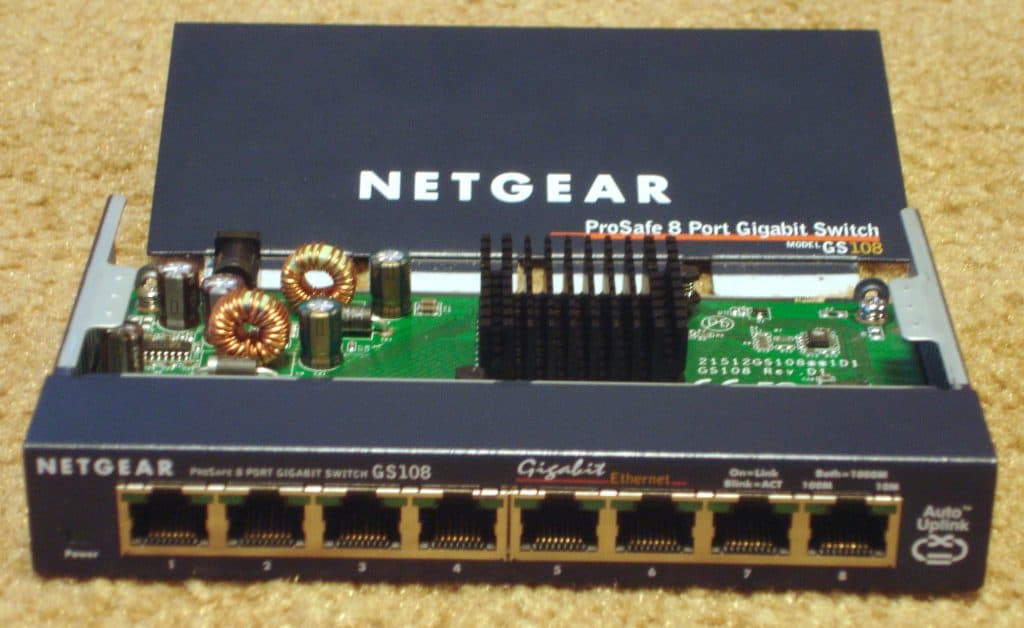
At a security training, the instructor took her personal Netgear GS108T switch from home, and asked us to dive into it. She was curious how safe this ProSAFE device was. This led to the discovery of a new vulnerability.

The Netgear devices have a two interfaces, which allows administrators to modify the settings of the device. This can be done in the web interface, but also with SNMP. The latter is by default not protected, although it’s possible to configure it.

XSS is always a concern in web interfaces, so Netgear did some effort to filter bad input in the web interface. However, they didn’t do output encoding, only input validation, which is only present in the web interface. Any value that is modified with SNMP is therefore an opening for XSS. Since not all parameters were accessible or usable via SNMP, the only system variables that can be accessed and modified and will result in a XSS were system name, system location, and system contact.

Exploiting via SNMP

In the web interface, the value is placed in a text box. To break out of this, we use the following payload: hi" onclick=alert("xss") x=".
First, we enumerate the injection points. For this we use SNMPWALK (our target is at 192.168.1.30):
snmpwalk -mALL -v2c -c public 192.168.1.30. With this we find out that the key iso.3.6.1.2.1.1.5.0 is related to the system name. With that information we can change it using snmpset: snmpset -v 2c -c private 192.168.1.30 iso.3.6.1.2.1.1.5.0 s 'hi" onclick=alert("xss") x="'

Now, log in to the Netgear web interface (in this case http://192.168.1.30). Click on the system name field (it has the value “hi”). You will see an alert box saying “xss”.

Affected devices and response

After discovery, we contacted Netgear about the issue. Upfront, we registered a CVE number for this issue (CVE-2016-7941). After 2 weeks, we received an initial response with the request to fill in an Excel document. After submitting that, we got a confirmation that the document was received and that they will reach out to us soon. Then it went silent…

After a few months, we decided to Google for the CVE. In the meantime, Netgear patched the issue, and created a Security Advisory for it. In this advisory we learned that the following devices were affected:

  • GS724Tv3 and GS716Tv2 with firmware version 5.4.2.25 or earlier
  • GS510TP with firmware version 5.4.2.25 or earlier
  • GS108Tv2 and GS110TP with firmware version 5.4.2.25 or earlier
  • GS748Tv4 with firmware version 5.4.2.25 or earlier

Until this day, we wait for a response from Netgear. In the meantime, we installed the new firmware, recommended by the advisory.

Search

Search Search

Recent Posts

  • Pin or no pin: the trade-off around certificate pinning in mobile apps
  • TrapDoor supply-chain attack steals passwords from developers
  • Once again malware found in US Code Extensions
  • Large-scale attack on popular npm packages: millions of websites and apps potentially affected
  • Age verification on the Internet: what about privacy?

CyberAnt is ISO Certified

Iso gecertificeerd

Tags

.DS Store anti-virus award broken access control clickjacking Cryptographic Failures cyberaanval CyberAnt Cybercrime cybercriminelen CyberRisk Cyber Security Datalek Entity injection Etisch Hacker Hacker Insecure Design ISO 9001 ISO 27001 IT Infrastructuur beschermen malware Mass Assignment aanval NetCaptain NetCat shell upgraden Netgear ProSAFE switches nominated Open web application Security project Owasp path traversal penetration test pentest Ransomeware aanval Ransomware Responsible Disclosure secure coding Secure webshop Security Audit Security audits Security Misconfiguration Server-side request forgery (SSRF) Social Engineering SQL Injection supply chain attack vulnerability management web applicatie scanning
CyberAnt is ISO gecertificeerd

Services

  • Pentest
  • Network Pentest
  • Website Security Check
  • Phishing Campaign
  • Mystery Guest

Cyberant

  • Why CyberAnt
  • Partners
  • Knowledge base
  • News
  • About us

Contact

Marconiweg 1
3899 BR Zeewolde

info@cyberant.com
+31 (0)85 047 1590

© Copyright - CyberAnt 2024
  • Link to Facebook
  • Link to LinkedIn
  • Link to Mail
Link to: What is Server-side request forgery (SSRF)? Link to: What is Server-side request forgery (SSRF)? What is Server-side request forgery (SSRF)?Server-side request forgery (SSRF)CyberAnt.com Link to: Entity injection Link to: Entity injection Entity injectionEntity injection
Scroll to top Scroll to top Scroll to top

Deze site maakt gebruik van cookies. Door verder te surfen op de site gaat u akkoord met ons gebruik van cookies.

Accepteer instellingenVerberg de mededeling enkelInstellingen

Cookie and Privacy Settings


How we use cookies

We may request cookies to be set on your device. We use cookies to let us know when you visit our websites, how you interact with us, to enrich your user experience, and to customize your relationship with our website.

Click on the different category headings to find out more. You can also change some of your preferences. Note that blocking some types of cookies may impact your experience on our websites and the services we are able to offer.

Essential Website Cookies

These cookies are strictly necessary to provide you with services available through our website and to use some of its features.

Because these cookies are strictly necessary to deliver the website, refusing them will have impact how our site functions. You always can block or delete cookies by changing your browser settings and force blocking all cookies on this website. But this will always prompt you to accept/refuse cookies when revisiting our site.

We fully respect if you want to refuse cookies but to avoid asking you again and again kindly allow us to store a cookie for that. You are free to opt out any time or opt in for other cookies to get a better experience. If you refuse cookies we will remove all set cookies in our domain.

We provide you with a list of stored cookies on your computer in our domain so you can check what we stored. Due to security reasons we are not able to show or modify cookies from other domains. You can check these in your browser security settings.

Other external services

We also use different external services like Google Webfonts, Google Maps, and external Video providers. Since these providers may collect personal data like your IP address we allow you to block them here. Please be aware that this might heavily reduce the functionality and appearance of our site. Changes will take effect once you reload the page.

Google Webfont Settings:

Google Map Settings:

Google reCaptcha Settings:

Vimeo and Youtube video embeds:

Privacy Policy

You can read about our cookies and privacy settings in detail on our Privacy Policy Page.

Privacy statement
Accepteer instellingenVerberg de mededeling enkel